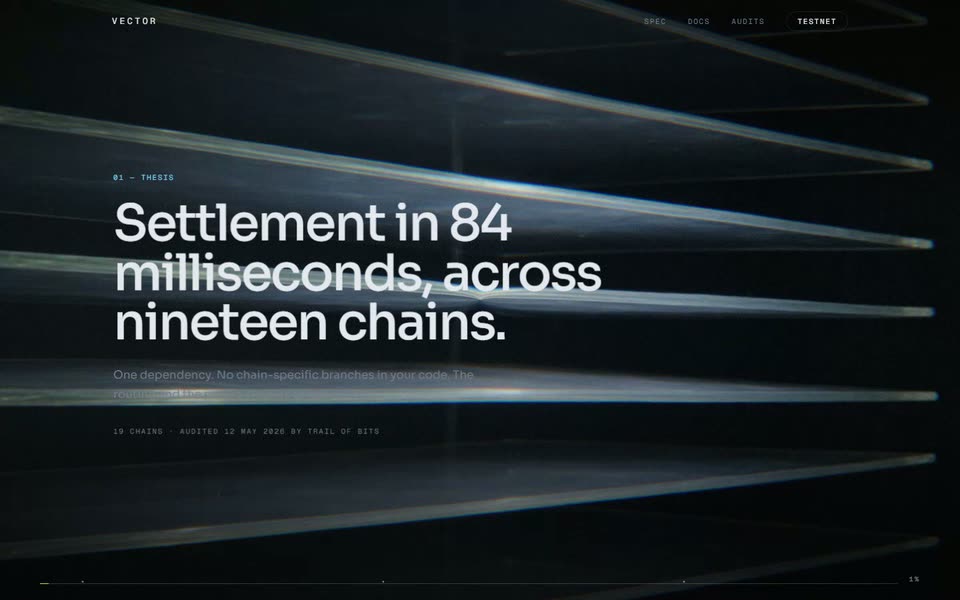
Lattice — Point Cloud Product Page
A developer product page whose hero is real three.js geometry rather than a video: a 7,000-point cloud you scroll through, morphing between the four states of a vector index — scattered, clustered, indexed, queried — drawn as ink stipple on warm paper. Plus a benchmark table, a hand-tokenised code block, and an ink-bleed closing plate.

The prompt — 10 sections
The idea
Every other page in this library puts a full-bleed quad behind the type and
does the work in a fragment shader. This one draws actual geometry, and the
geometry means something: the four formations are the four states of a vector
index, so scrolling the page is watching the product work.
It is also deliberately **not** the near-black-with-glowing-particles that
this whole category defaults to. Warm paper, black stipple, one ink blue. A
precision instrument, printed.
Point field
`THREE.Points` under a `PerspectiveCamera` — not the orthographic full-screen
quad the film templates use, because the cloud needs depth you can see
through.
Build the geometry **once**, with every formation baked in as its own
attribute:
```
aP0 scatter uniform fill of a box — before it is an index
aP1 clusters pulled toward ~7 centroids — embeddings have shape
aP2 lattice a regular 3D grid — the index itself
aP3 shell a Fibonacci sphere — every direction, queried
aSeed one stable random per point
```
Generate the positions from a **deterministic** hash of the point index, not
`Math.random()`:
```js
const rndFor = (i) => (k) => {
const x = Math.sin(i * 127.1 + k * 311.7) * 43758.5453;
return x - Math.floor(x);
};
```
Every formation must agree about which point is which. If they don't, a morph
looks like a reshuffle rather than a movement, and the whole effect dies.
`THREE.Points` still wants a `position` attribute even though the vertex
shader never reads it. Alias it to the first formation rather than allocating
a fifth buffer, and set `frustumCulled = false` so nothing computes a bounding
sphere over data that moves in the shader.
Vertex shader
Take a `uMorph` in `0..count-1` and lerp between the bracketing pair:
```glsl
float stage = floor(uMorph);
float t = clamp(uMorph - stage, 0.0, 1.0);
// Stagger arrival per point, so a formation assembles rather than
// snapping as one rigid body.
float lead = (aSeed - 0.5) * 0.35;
float e = clamp(t * 1.35 + lead, 0.0, 1.0);
e = e * e * (3.0 - 2.0 * e);
vec3 pos;
if (stage < 1.0) pos = mix(aP0, aP1, e);
else if (stage < 2.0) pos = mix(aP1, aP2, e);
else pos = mix(aP2, aP3, e);
```
Then two things that tie it to the rest of the page: scroll velocity scatters
each point along its own axis (`* av * 0.16`), the same way velocity tears the
film templates; and the whole cloud turns slowly on Y forever, so it is alive
when the page is still.
Size with perspective, and multiply by the device pixel ratio or the dots halve
on a retina screen:
```glsl
gl_PointSize = uSize * uPixelRatio * (2.6 / max(-mv.z, 0.1));
```
Fragment shader
```glsl
vec2 d = gl_PointCoord - 0.5;
if (dot(d, d) > 0.25) discard; // round marks; a square reads as a bug
float ink = mix(1.0, 0.16, vDepth); // distance lightens the mark
float edge = smoothstep(0.25, 0.10, dot(d, d));
gl_FragColor = vec4(col, ink * edge);
```
Depth **lightens the ink** rather than fogging it toward a colour — that is
what actually happens on a printed plate, and it is what makes the cloud read
as stipple instead of as particles.
Draw a small share of points (about 5%) in the accent, keyed off `aSeed` so
they are a stable subset. Those are the matched neighbours; they are the only
colour on the page.
Density is the whole trick
Get this wrong and nothing else matters. **7,000 points at size ~5 reads as
stipple. 24,000 at size ~2.6 averages into a grey smear** — the individual
marks stop resolving and you get fog. Fewer and larger, always.
Composition
Hold the cloud clear of the type. On a viewport wider than about 1.1:1, push
the group to `x = 1.25` and the camera back to `z = 5.0` so the cloud sits
right of centre and bleeds off the right edge — a fragment of something larger
reads better than a specimen centred in frame. Below that, centre it and pull
back to `z = 6.2`.
Then a scrim leaning left, but a **light** one: paper at 0.92 → 0.72 → 0.18 →
0. Ink stipple is already low-contrast, and the heavy scrim these templates
use over footage erases it completely.
Hosting it
Reuse the scroll-film scaffolding rather than rebuilding it: the film supplies
the scroll track, the sticky stage and the chapter timing, and the point cloud
supplies the pixels. Give the film a `program="none"` that skips its own
surface, and have the point field read the shared driver from context so both
run off exactly the same value.
The stage's background must be a prop. A film paints every pixel so black is a
fine default, but a template on paper whose scrim fades to transparent will
otherwise fade out to black.
Page
Four acts over the cloud — hero, Shape, Index, Recall — then:
- **A benchmark table.** Four rows, four columns, hairline rules, tabular
numerals, your row tinted at 5% accent with a dot beside the name. A table
is the honest form here; anything more designed is hiding the fact that one
column is the whole argument. Caption it as illustrative.
- **Install** — a two-column split, a feature ledger on the left and a code
block on the right. Tokenise the code by hand as `[text, kind]` pairs; a
syntax highlighter is a lot of bundle for six lines. Give the block a
filename bar.
- **A closing plate** with the one moving image on the page: black ink bleeding
through wet paper, behind a left-leaning paper scrim.
- **An inverted footer** — ink ground, paper type. The single tonal flip on the
page, and it lands at the very bottom.
Ink shader
For the closing plate when there is no footage, a procedural version of the
same shot. Paper is fibre noise (`vnoise` at high frequency in x, low in y)
plus a slow cloudy unevenness in the stock. The bleed is a radius pushed by
scroll, with the edge displaced by two octaves of fbm so it feathers into the
grain instead of expanding as a clean disc, plus tendrils creeping ahead of the
front where the fibre noise is highest.
A light-grounded shot needs a different grade from a dark one: skip the
shadow-tint, cut the vignette to about a fifth, and dissolve in from paper
rather than from black.
Palette and type
Paper `#F1F0EB`, ink `#111310`, muted `#6B6D66`, rules `rgba(17,19,16,0.14)`,
and one ink blue `#2B4FE8` that only ever marks the thing being pointed at.
Footer inverts to ink ground.
Bricolage Grotesque, semibold, tight tracking for display. IBM Plex Sans for
body. IBM Plex Mono for every label, 10–11px, `0.14em`–`0.24em`. Corners at
3px, not pills — this is a tool, not a brand campaign.